
Installation
Prerequisites
Section titled “Prerequisites”- Salesforce org (Enterprise, Unlimited, or Developer Edition)
- System Administrator profile or equivalent permissions
- Lightning Experience enabled
Install the Package
Section titled “Install the Package”-
Get the installation link
Use the version-specific installation link above. Check the package name and version in the Salesforce installer.
-
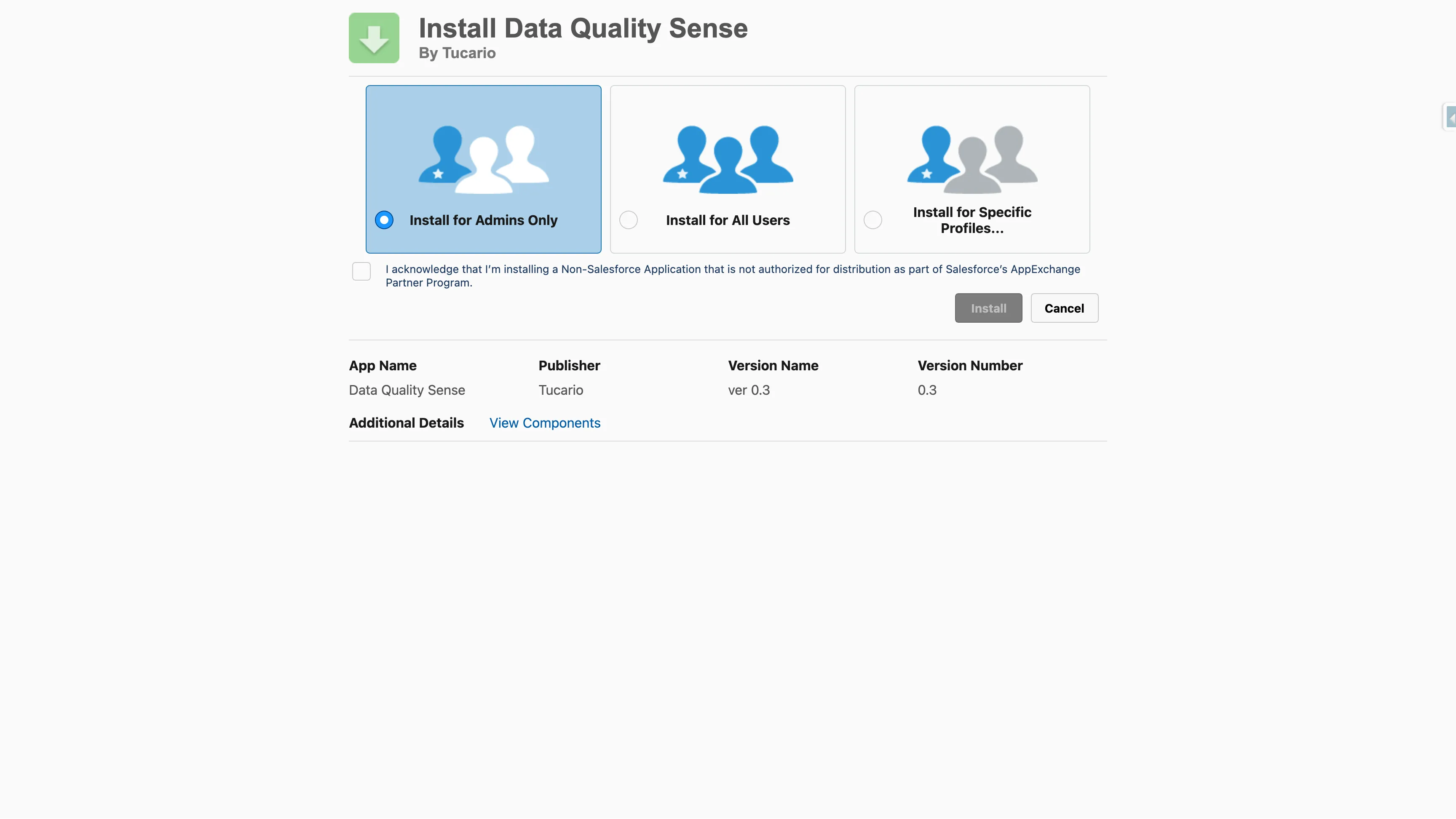
Choose installation scope
Select who should have access:
- Install for Admins Only — recommended for initial setup
- Install for All Users — if all users need immediate access
- Install for Specific Profiles — for granular control
-
Review package access
Field Usage reads metadata through Salesforce APIs within your org. It does not send source code to an external analysis service.
-
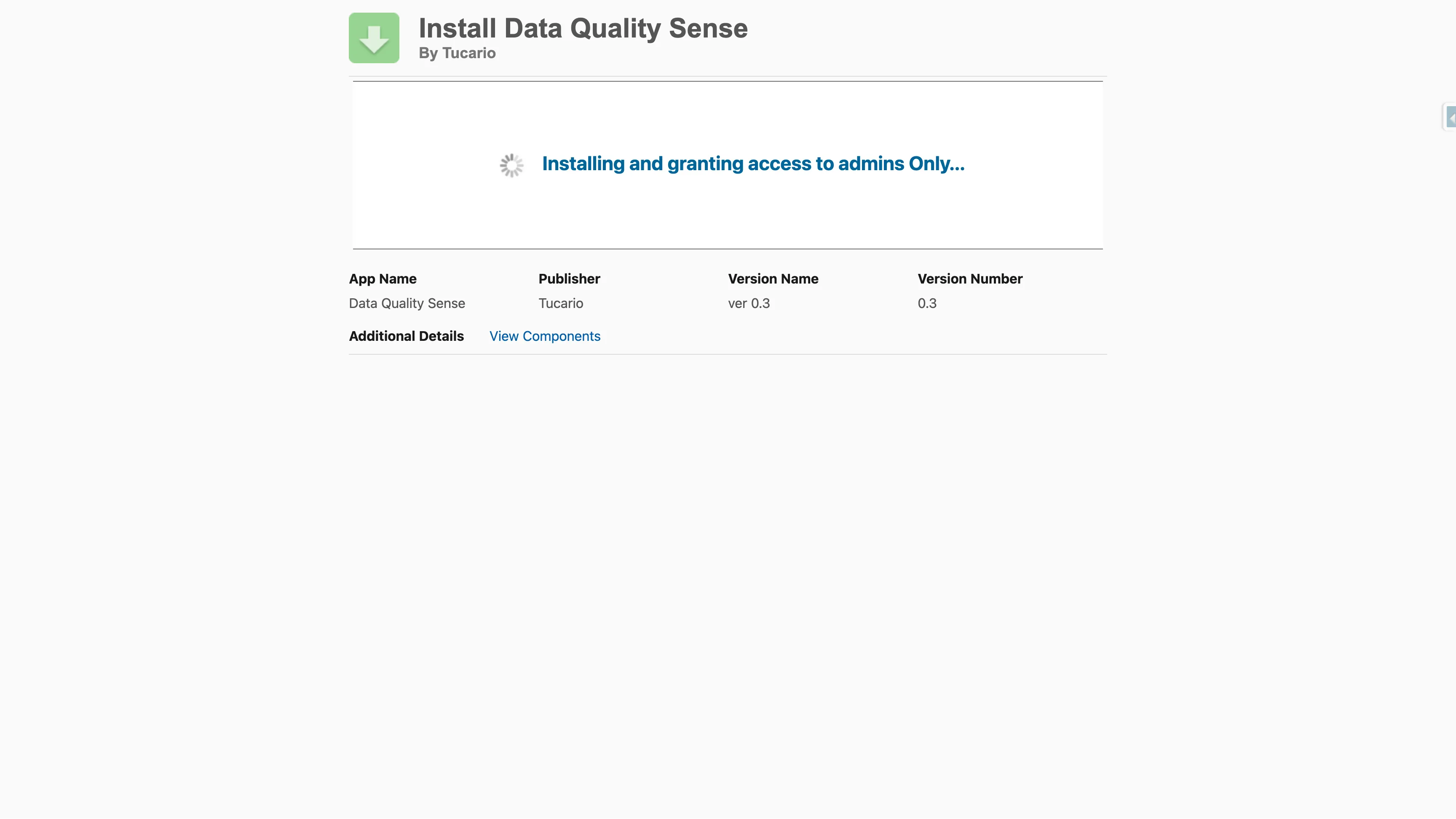
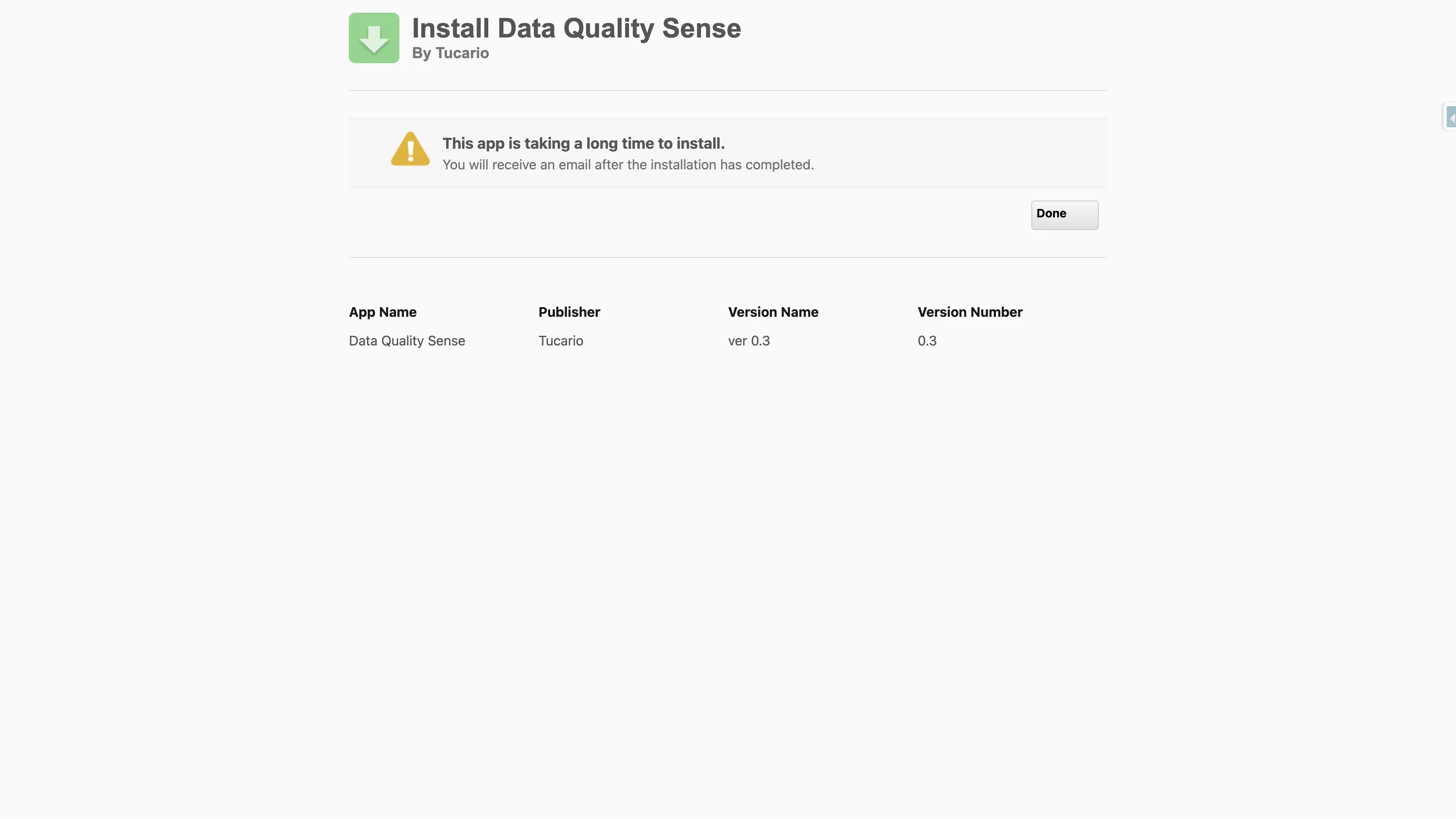
Wait for installation to complete
The installer will show progress. For larger orgs, installation may take a few minutes — you will receive an email once it completes.
-
Verify installation
Navigate to Setup → Installed Packages and confirm
Data Quality Senseappears with namespacedataqualitysens.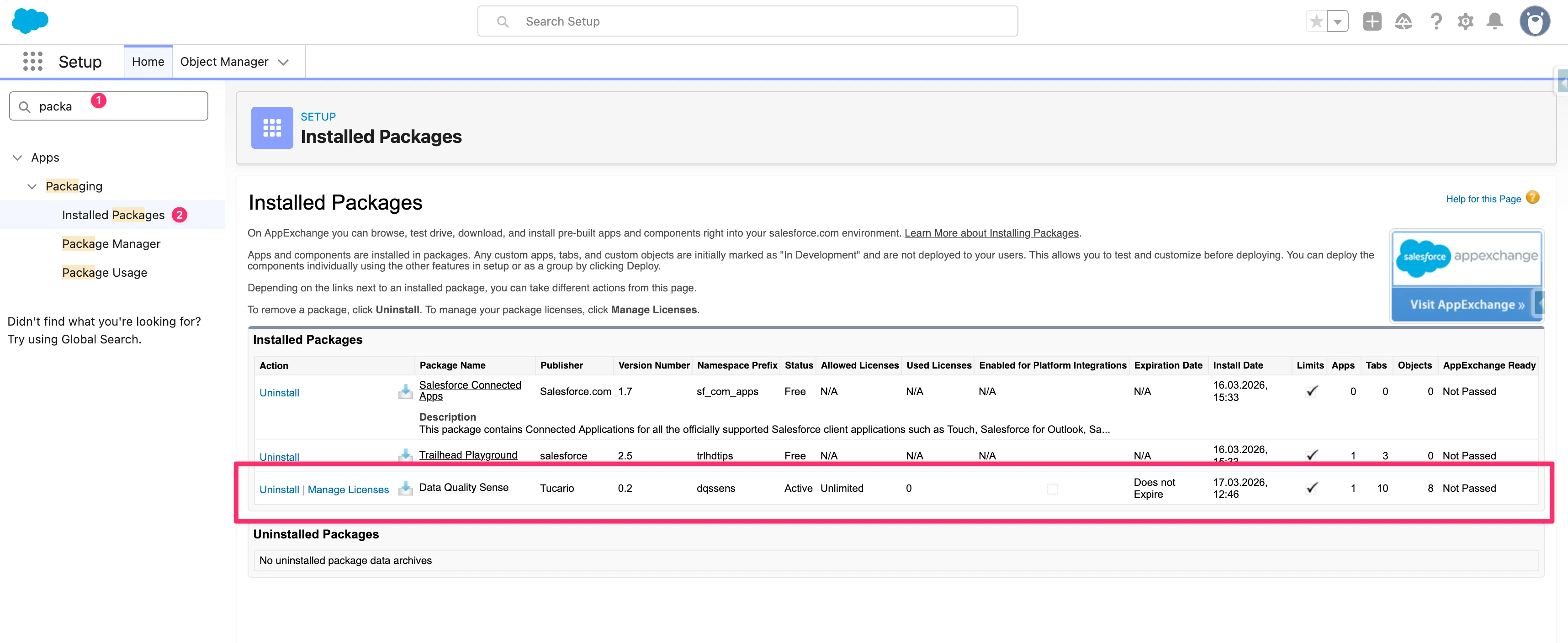
Activate the App
Section titled “Activate the App”After installation, Data Quality Sense is not yet active. When you open the app for the first time, you will see a lock screen indicating that activation is required.
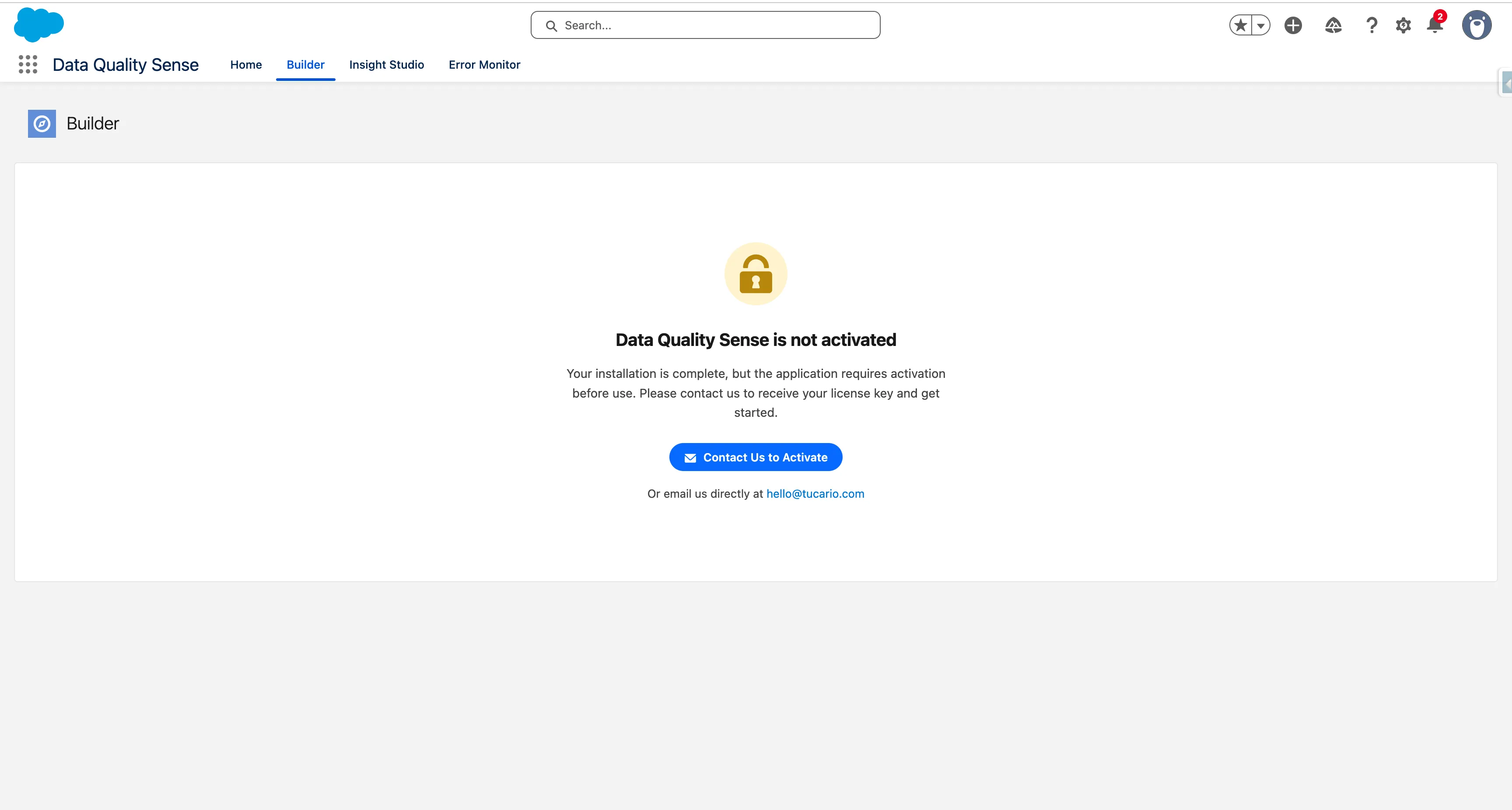
Click Contact Us to Activate to open a pre-filled email with your Org ID and details. You can also email us directly at hello@tucario.com.
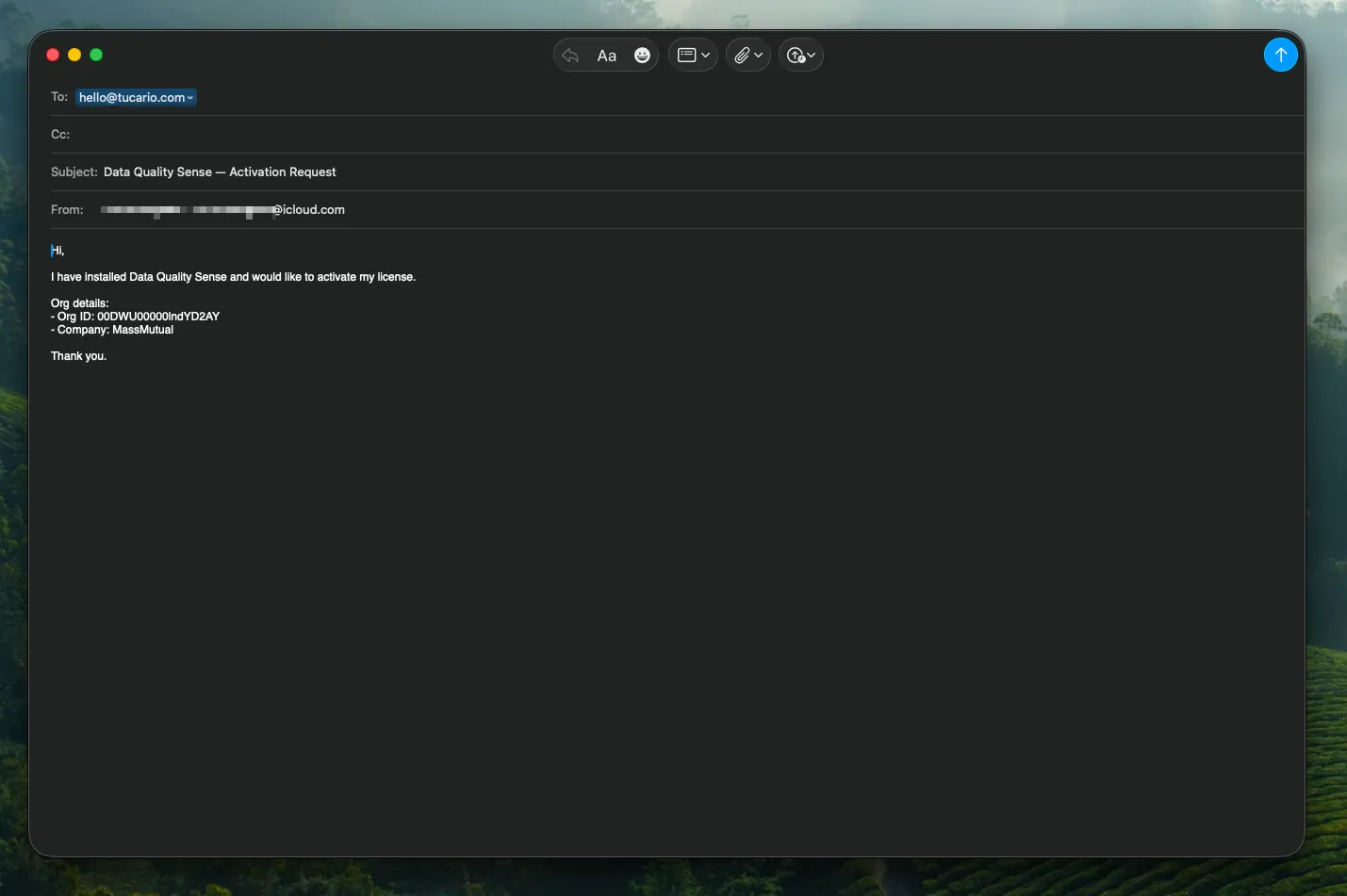
We will enable the app remotely — no additional installation steps are needed on your side. Once activated, the lock screen disappears and the app is ready to use with 20 scans included.
Post-Installation
Section titled “Post-Installation”The package installs all required components — custom objects, Lightning components, and permission sets. No additional configuration of these components is needed.
Updating the Package
Section titled “Updating the Package”To upgrade, use the installation link for the target version. A link containing a package version ID always selects that version; it does not automatically select future releases. Confirm the installed and target versions in Salesforce, then choose Upgrade if the installer offers it.
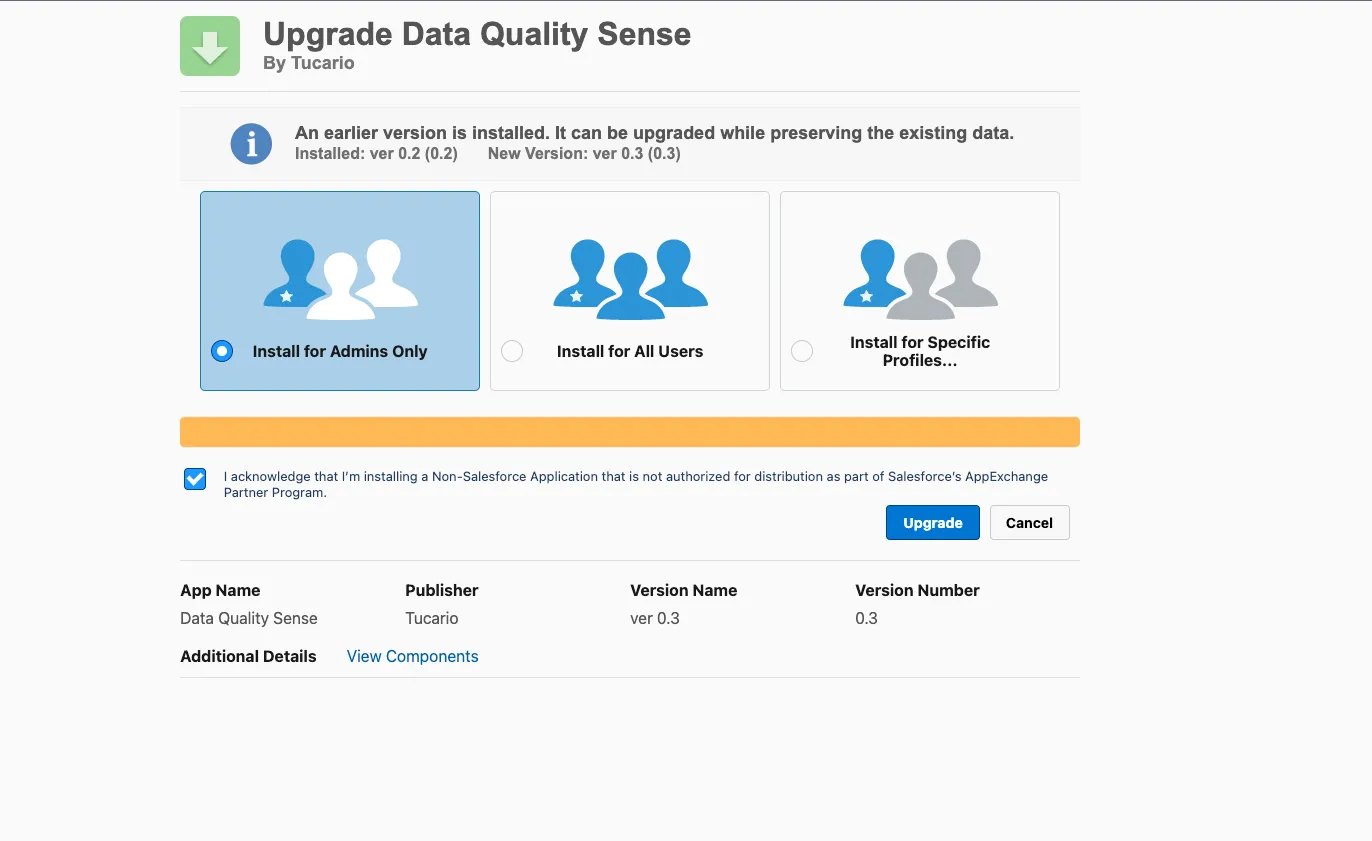
Your scan definitions, results, and configuration are preserved during upgrades — no data is lost.